
01
Install and activate
Add RevenueLift from the Shopify App Store, open it in your admin, and approve billing to start the free trial.
Shopify upsell & cross-sell app
From product bundles and add-ons to cart and post-purchase recommendations, RevenueLift gives you simple ways to grow every order. Configure your offers in Shopify admin without writing theme code.
20-day free trialFirst 50 orders each month are freeBilled through Shopify
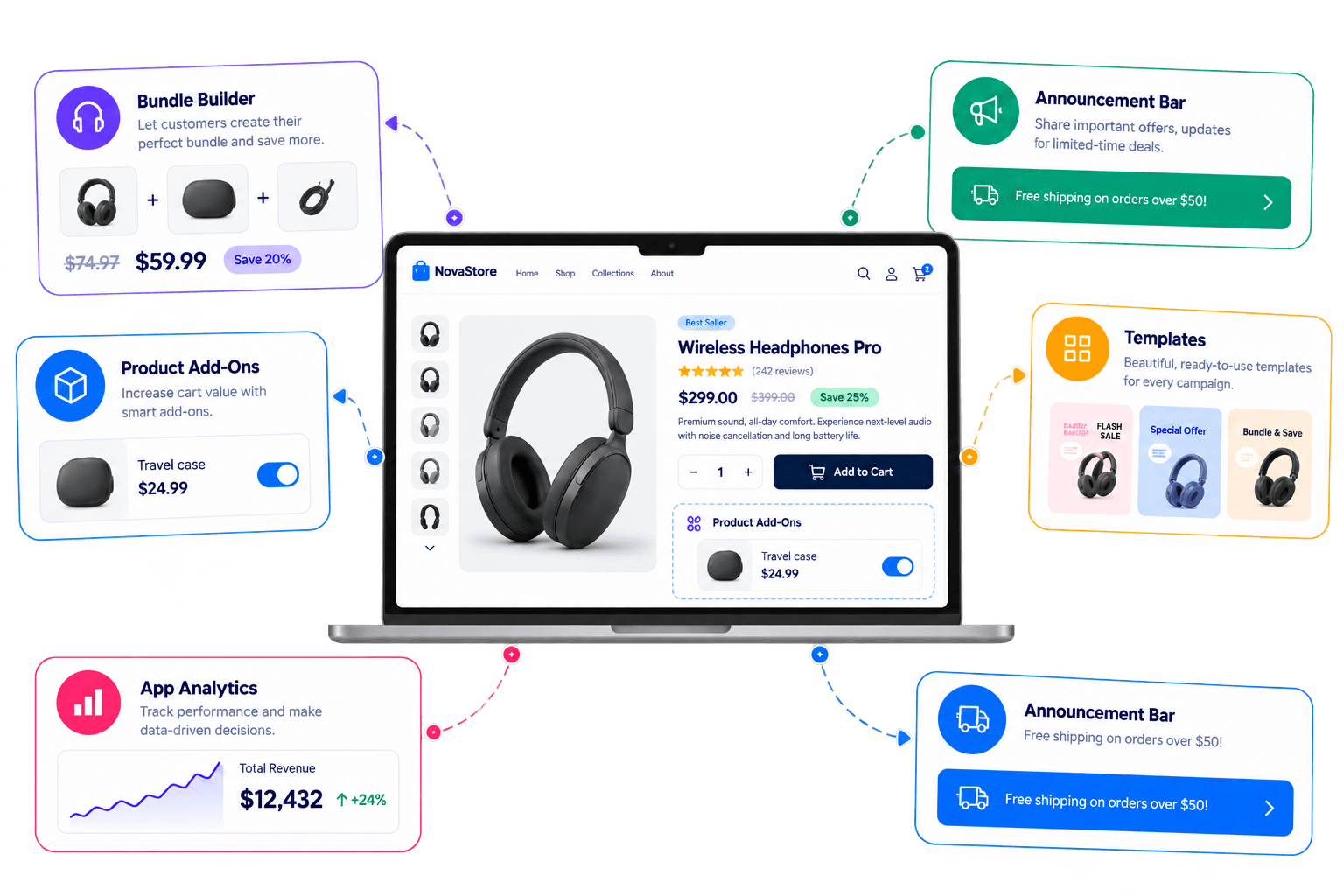
Follow the customer from the storefront to after checkout and put the right offer on each surface.
Store-wide
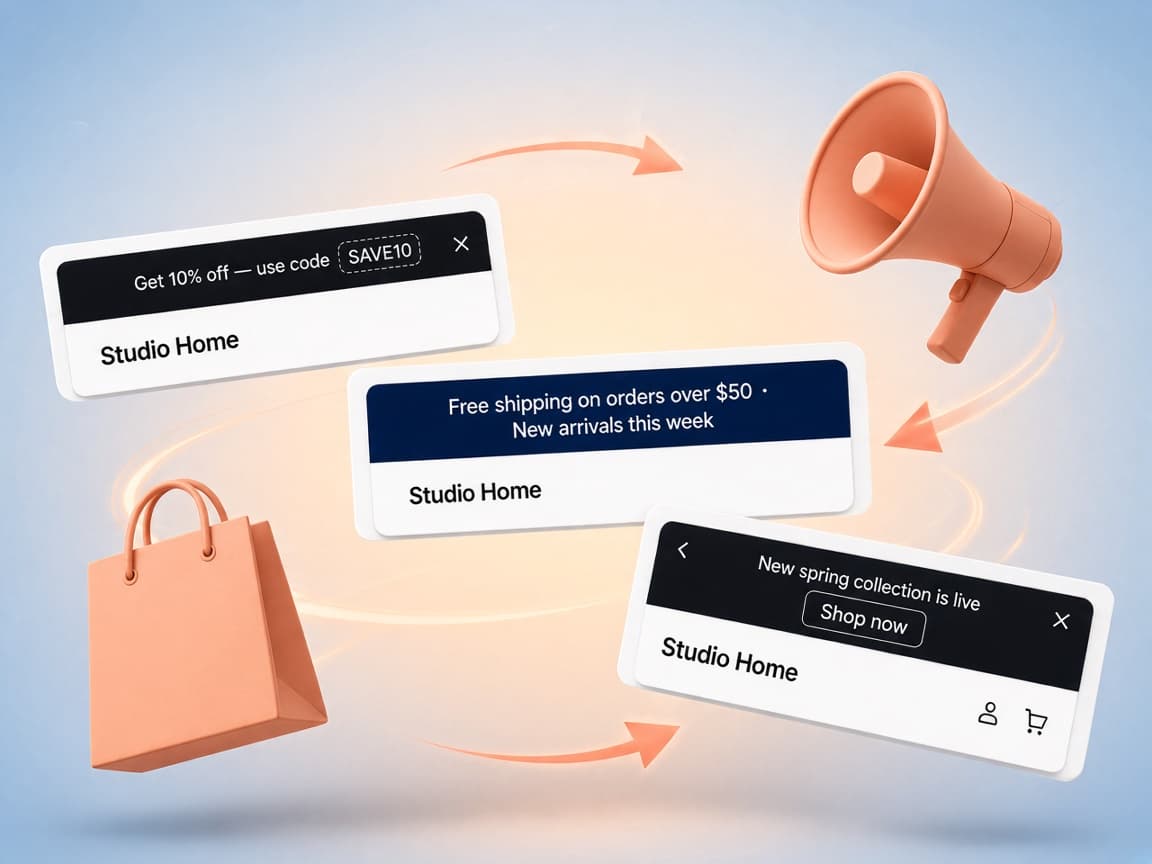
Show important messages across your store and control when and where they appear. Schedule announcements, choose which pages show them, and customize the bar to match your store’s style.
Install from the App Store, build an offer in your admin, and let your theme show it to customers.
Add RevenueLift from the Shopify App Store, open it in your admin, and approve billing to start the free trial.
Pick an offer type, set products and discounts in the editor, and preview changes before you publish.
Turn on the app embed for storefront offers, or place thank you offers in the checkout editor. No theme code to write.
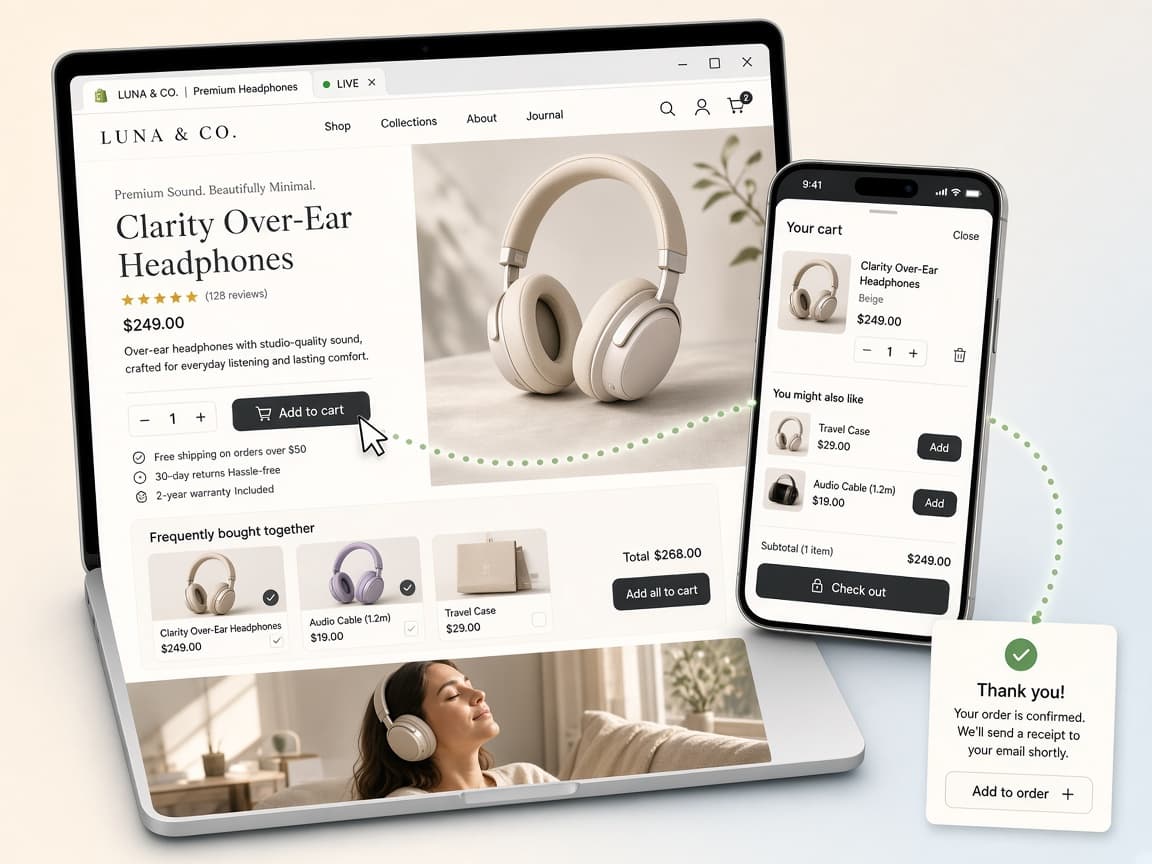
Explore a real storefront and see RevenueLift offers in action across the product page, cart, and post-purchase experience.
Start with free orders each month. Your price follows your store's monthly order volume. Every feature is on every tier.
0–50
orders
Lower price to start
51–300
orders
Price steps up with orders
301–500
orders
Price steps up with orders
500+
orders
Highest volume band
Start small. Grow first. Pay more only when your order volume grows.
Clear answers about setup, trials, billing and managing RevenueLift
No. Storefront offers are delivered through the RevenueLift theme app embed, which you switch on in the theme editor. Frequently Bought Together and Product Add-Ons additionally ship as theme app blocks you can drag into place. Thank you page offers are added from Shopify's checkout and accounts editor.
Yes. There is a 20-day free trial with every feature available, and after the trial the first 50 orders each month are free.
By your store's total order count for the billing month — every order the store takes, not only the ones containing an offer. All features are available on every plan; your price only changes with your monthly orders.
By a Shopify Function on the cart, not by a code the customer has to enter. The price shown in the widget is the price charged at checkout.
Offers stop appearing on the storefront, because they are delivered through the app embed, theme app blocks and checkout extensions rather than being written into your theme. There is no leftover script to clean up.
Every offer type is included on every tier. Pricing follows your monthly order count, with a free trial and free orders to start.