
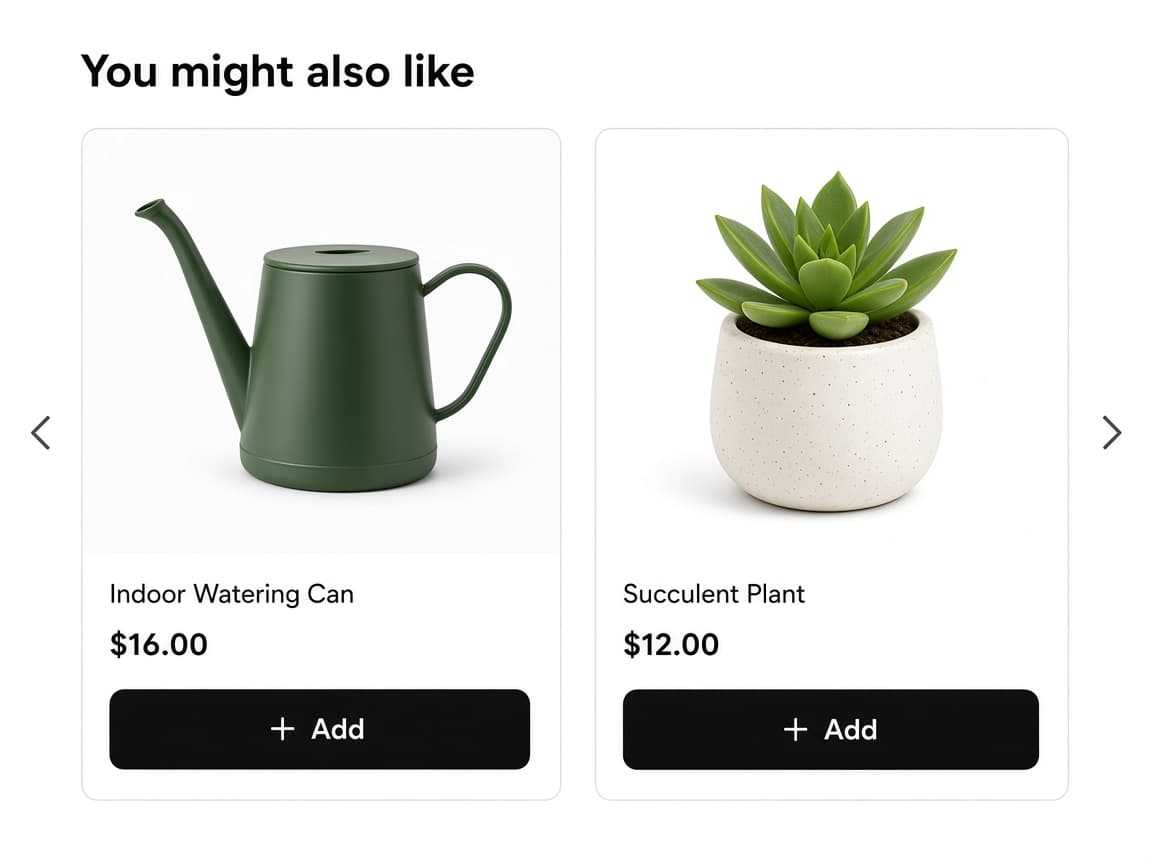
Recommendations sit on the cart page
Below the cart, or on top of it, customers see a You might also like strip. Each card has a variant, a price, and an Add button.
Cart page and cart drawer
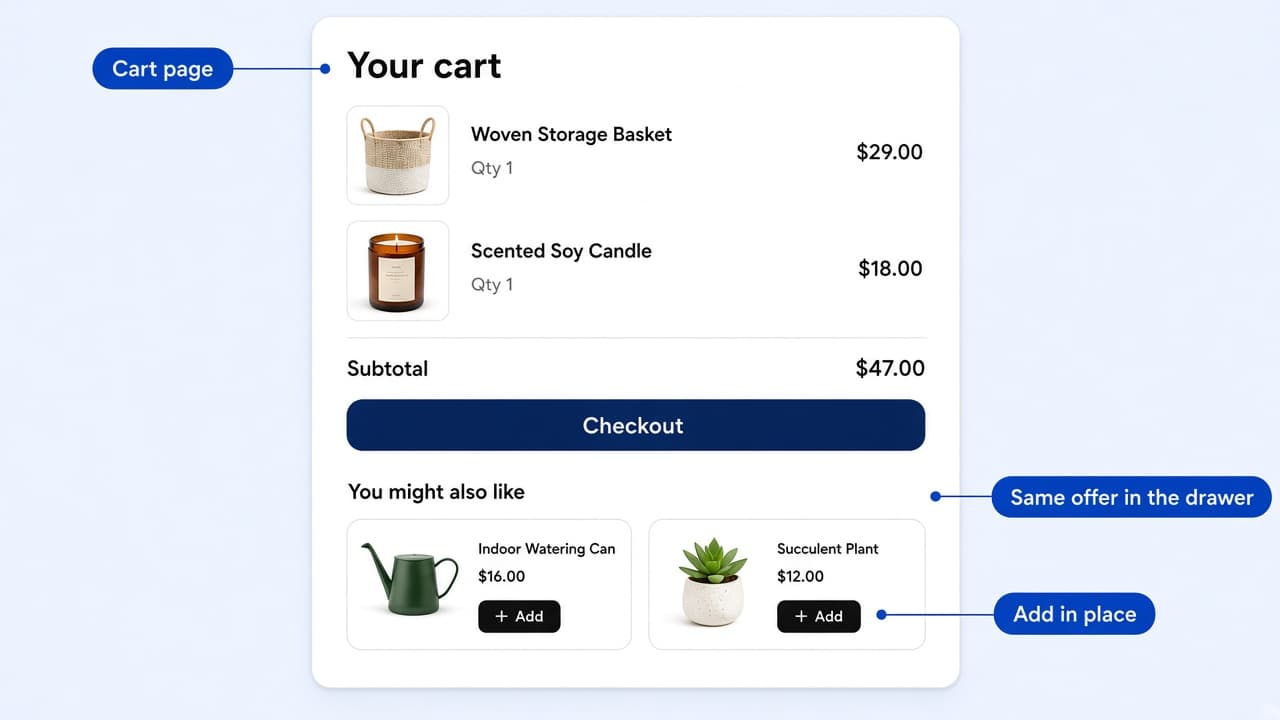
Below the cart, or on top of it, customers see a You might also like strip. Each card has a variant, a price, and an Add button.
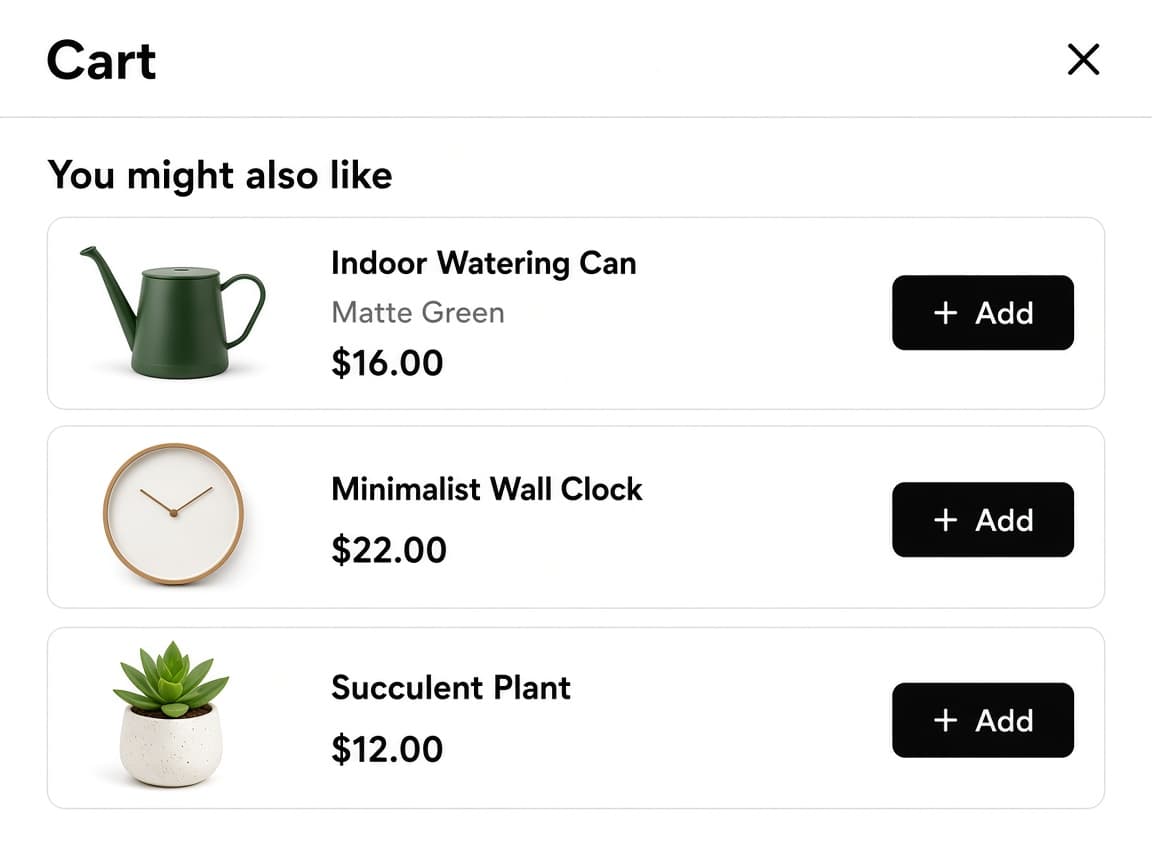
Themes with a slide-out cart get the same recommendations. You do not create a second offer for the drawer.
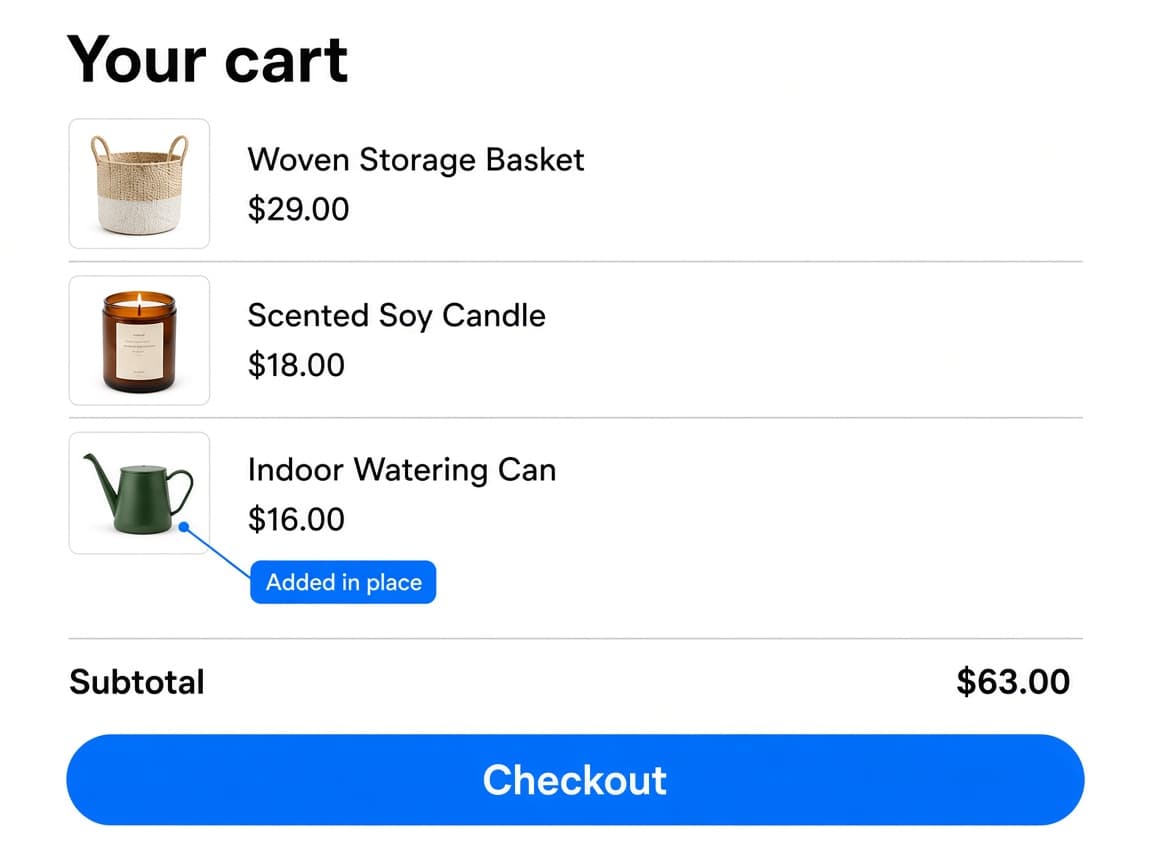
Tapping Add posts the item to the cart. The new line appears in place, the subtotal updates, and the customer can keep checking out.
Four controls that cover both cart surfaces, keep Add in place, and choose when the offer shows.
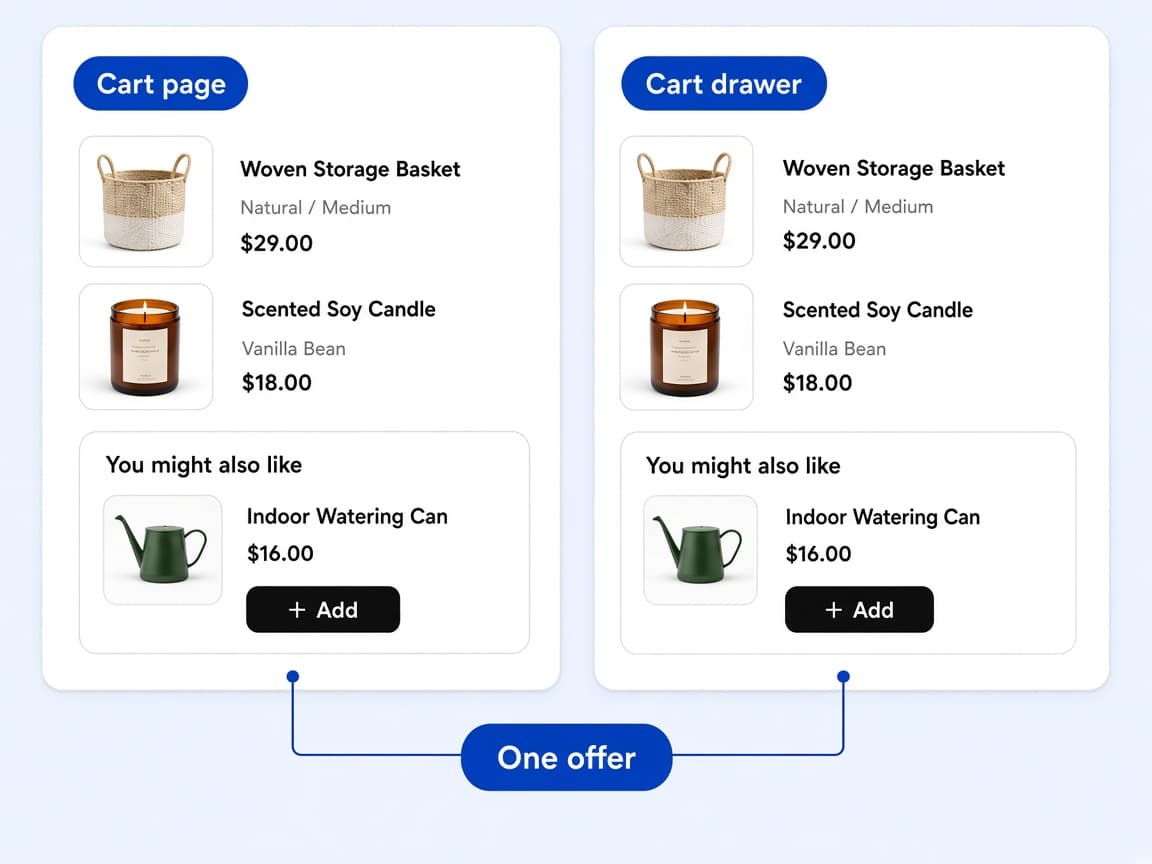
Cart Page & Drawer Upsell is a single offer type. The theme app embed renders it on the cart page and on themes that use a cart drawer, so a slide-out cart does not need its own offer.
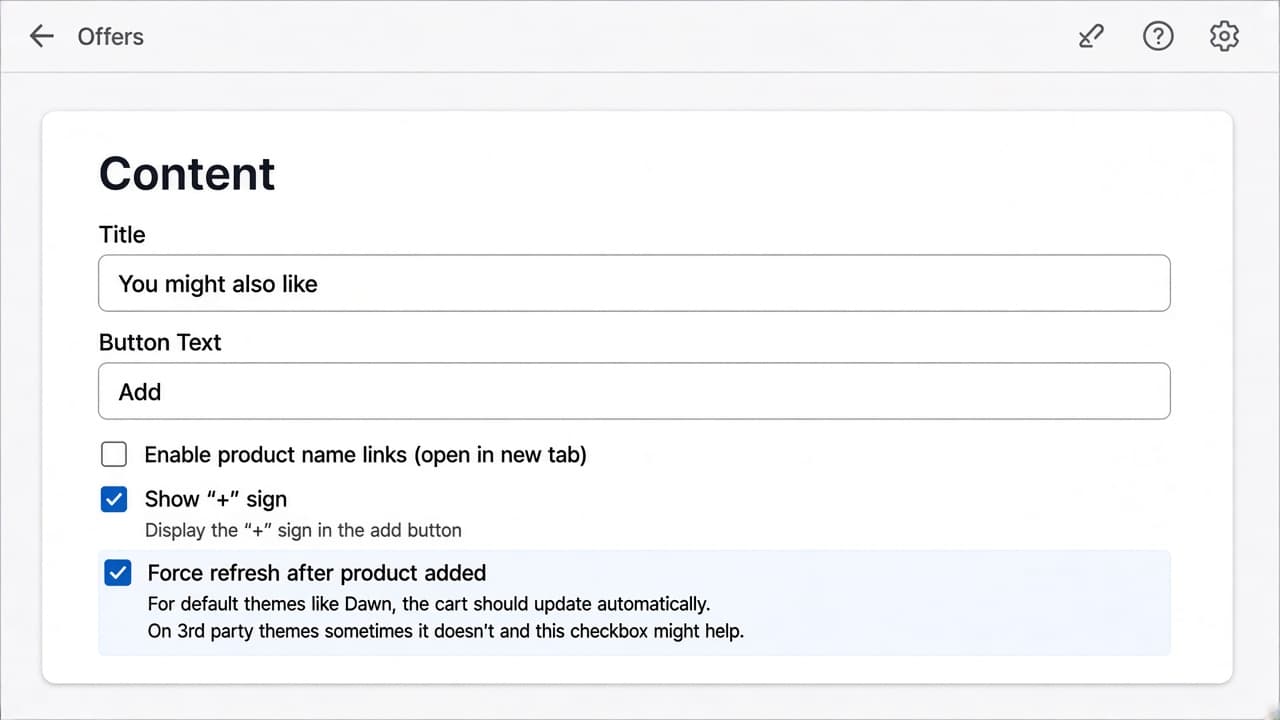
On Dawn and other native themes the cart usually updates on its own. On some third-party themes it does not. Force refresh after product added reloads the cart so the new line and totals show up.
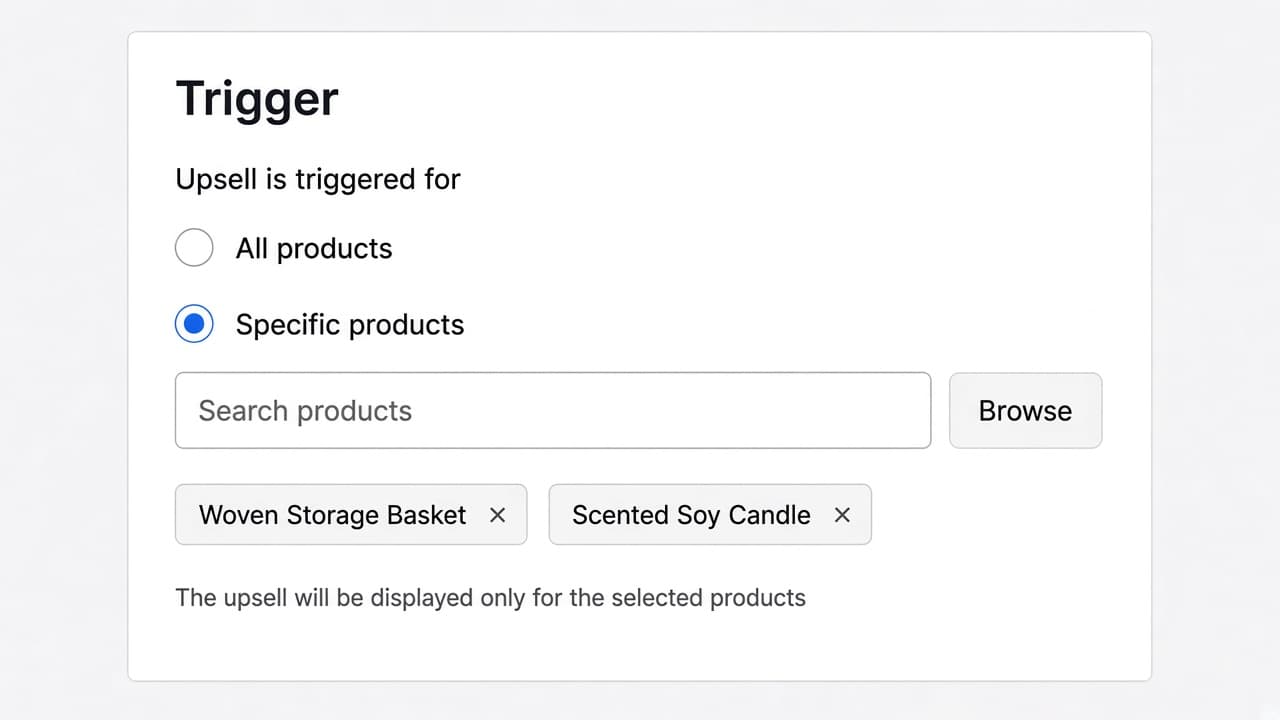
Upsell is triggered for All products, or for Specific products already in the cart. Cart Page & Drawer Upsell does not offer a collection trigger, a cart-value threshold, or an A/B test.
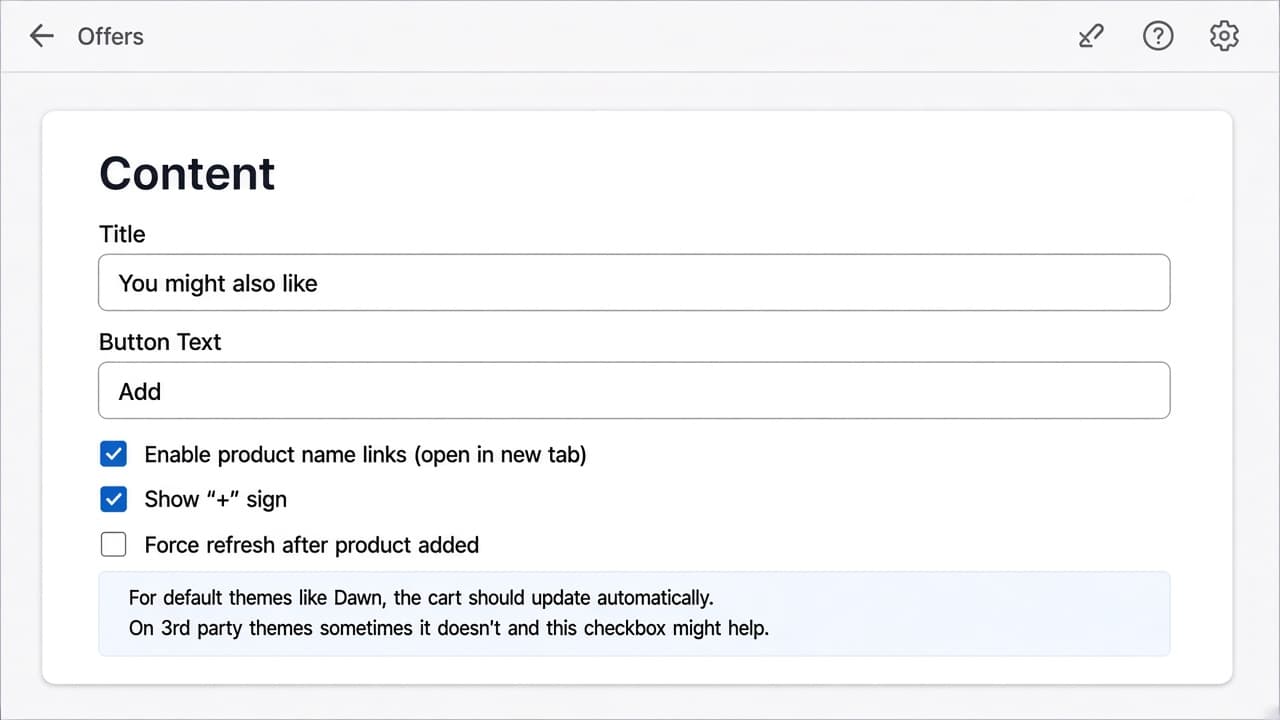
Enable product name links (open in new tab) lets a customer open the recommended product from its name or image. The Add button still adds the item in the cart. This is not a redirect instead of add.
No. One Cart Page & Drawer Upsell offer covers the cart page and themes that use a cart drawer.
No. Add posts the product to the cart and updates the line items in place. If you want a product page, turn on Enable product name links so the name and image open in a new tab.
When Add does not update the cart on your theme. Native themes such as Dawn usually refresh on their own. The checkbox is for third-party themes where the new line does not appear until a reload.
No. The trigger is All products or Specific products in the cart. There is no collection trigger, no cart-value threshold, and no A/B test on this offer type.
Below the cart, on top of the cart, or before or after an element you name by HTML id. Top and below are for native Shopify themes. See placement options in the docs.
Through a Shopify Function. The Discount Name you set is what appears on the cart and at checkout. The customer does not enter a code.
Create the offer in RevenueLift. One offer covers the cart page and the drawer.